
Spotify / RBAC
Spotify / Backstage
The Role Based Access Control plugin provides a simple and intuitive interface that allows administrators to quickly define authorisation policies for users and groups within their instance of Backstage.
Key contributions:
- Led the design of a brand-new plugin, navigating through the complexities of Spotify's first enterprise product development.
- Facilitated team clarity in a project marked by high ambiguity, ensuring a focused and effective approach.
- Fostered team alignment and collaboration, essential in handling the intricate aspects of enterprise-level product design.
The problem
Backstage is an Internal Developer Portal that allows developers to access all of the tools and data available across their organisation. Due to regulatory compliance or security requirements, some organisations need to limit access to parts of Backstage on a user or group level.
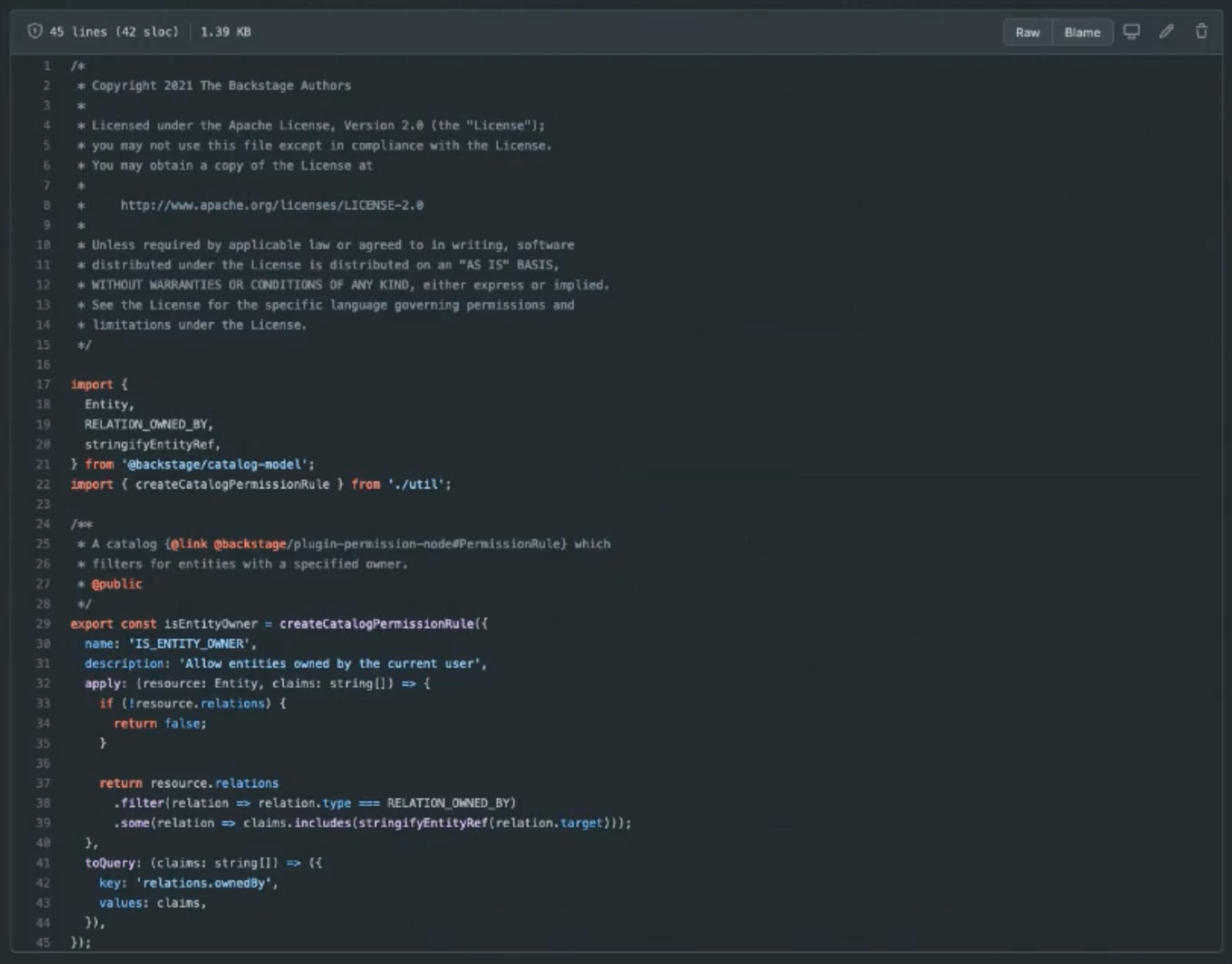
Backstage already had an authorisation mechanism but defining policies requires users to write code, which is an issue for less technical Backstage Administrators. Existing and potential adopters of Backstage regularly requested a no-code solution to define policies for users and groups without support.
This was an interesting challenge because the functionality that would need to be translated to a visual interface was so foreign to me and as far as we knew, had never been done before. Needless to say, the huge level of ambiguity while designing a brand new product from the ground up was daunting.

When I joined the team, I was the only designer in a heavily engineering focussed team (no PM either!). Knowing that this team had never been exposed to design ways of working, I brought them together to illustrate the impact of collaborative design.
At the start of any project, I run a series of workshops to help transition the team from uncertainty to a clear action plan. This process fosters cross-functional buy-in right from the project's inception and creates essential artifacts for the team to reference during the project's lifetime.
Kick-off
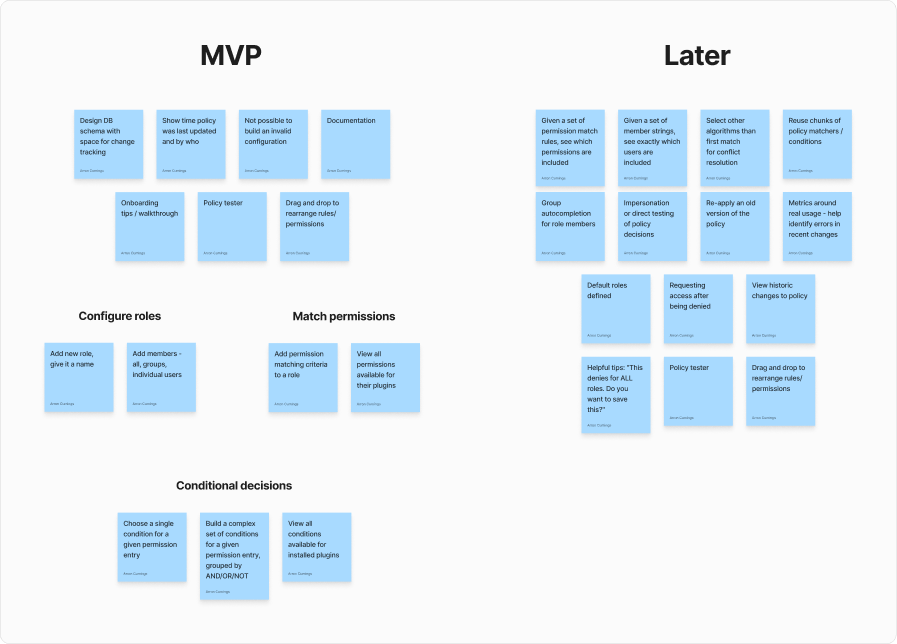
The initial kick-off set the project’s foundation, defining problems, objectives, success metrics, scope, MVP features and timelines. This step is crucial in aligning the team on exactly what we’re building and helping me to gain an understanding of the product.
Involving all of the stakeholders in these sessions helps to foster an inclusive environment where diverse perspectives are valued and incorporated into design solutions.
Users
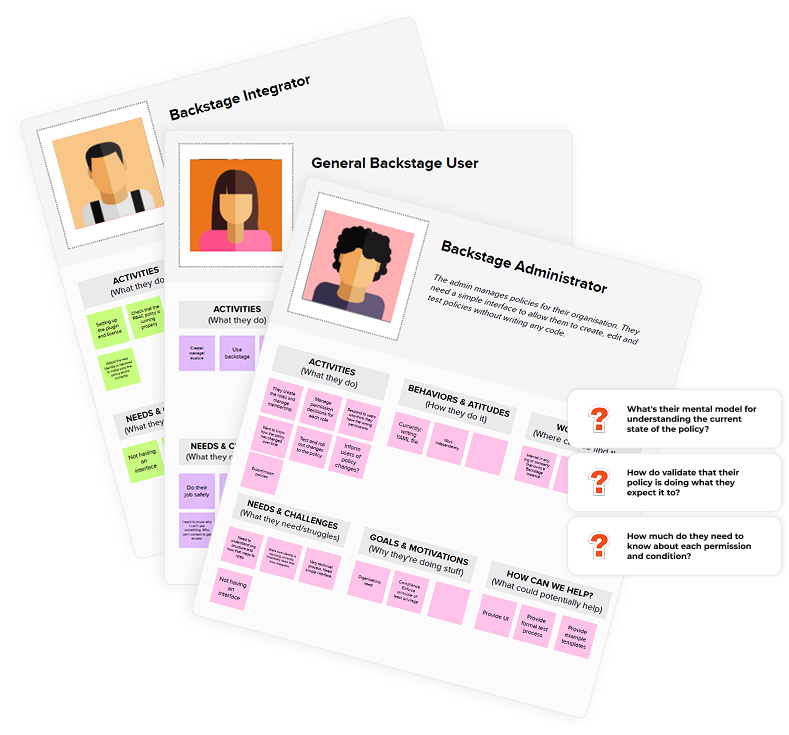
We then identified and built an understanding of our target user groups, focusing our design on their needs.
At this stage we also gathered questions that need to be answered in order to make sure that our design meets their needs. These questions are then used in user interviews with our target customers.
Journeys
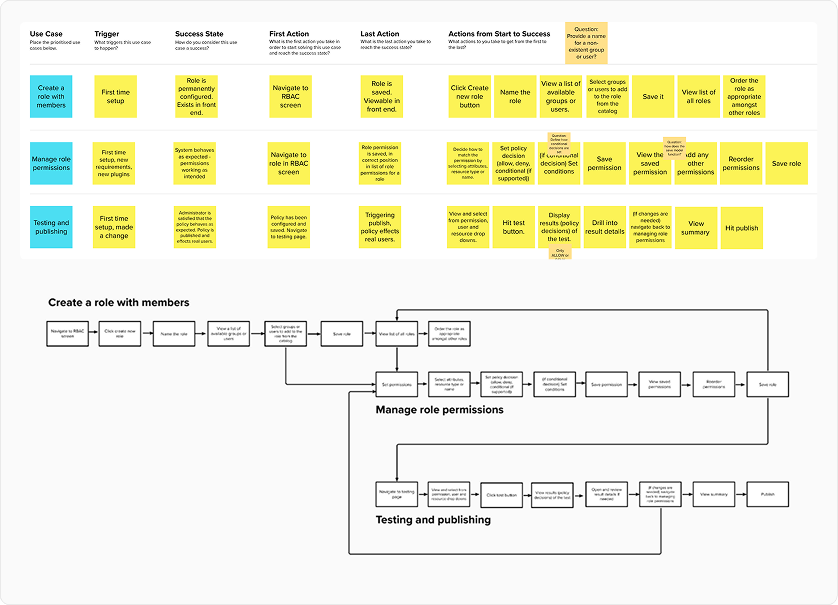
The team explored use cases of RBAC and prioritised the most important user journeys, ensuring a thorough understanding of the steps a user will need to take to use the product successfully.
Collaborative ideation in these workshops helped address complexities and bridge gaps, establishing early alignment and a unified understanding within the team. At the end of this session we have plotted out a map of the core functionality, becoming an invaluable reference for when I begin the design.
Sketch
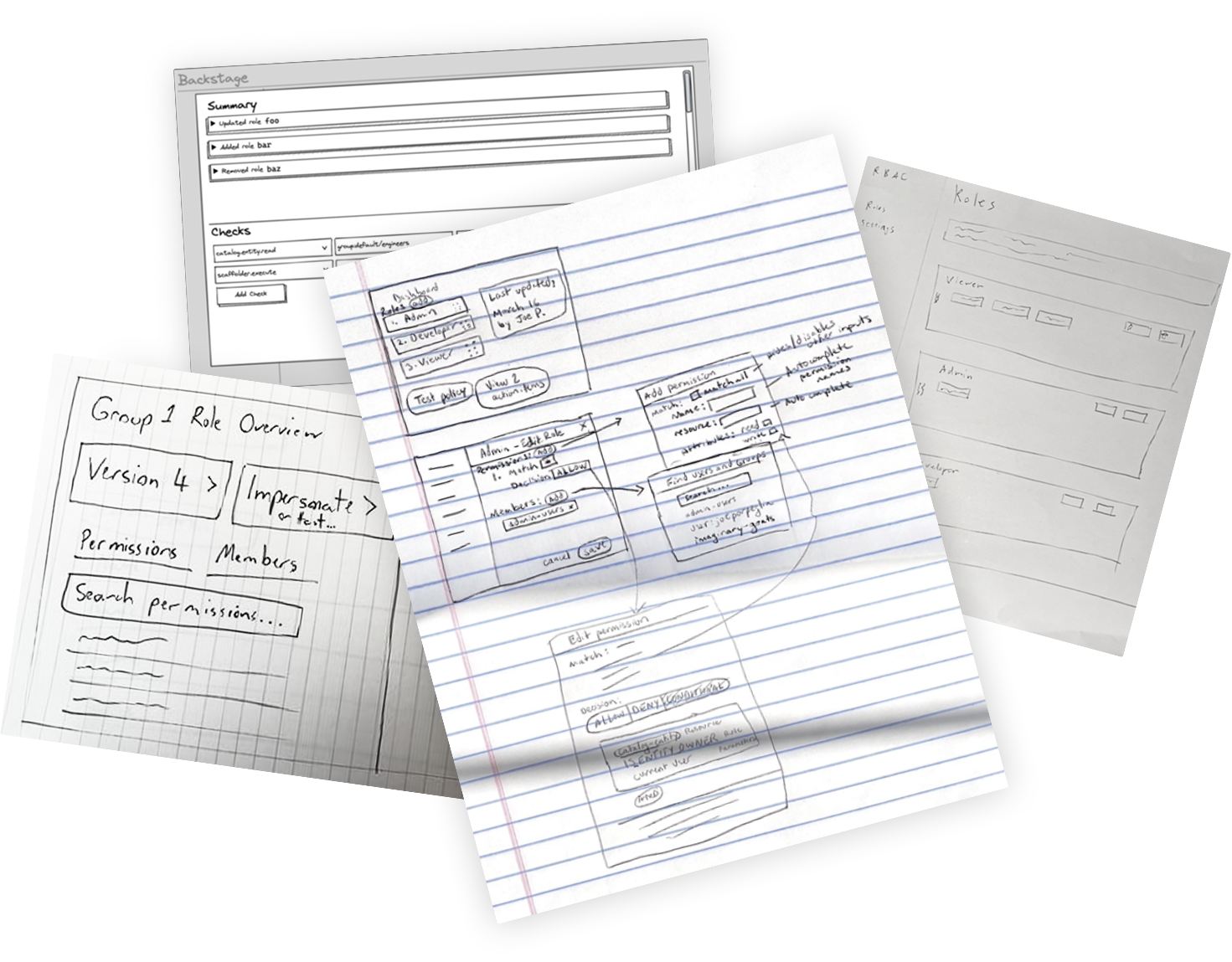
In this workshop, the team collaboratively sketched out ideas to explore visuals of the interface using the journey map. Having all of the stakeholders involved in this step is hugely important to me as it allows everyone's voice to be heard.
Capturing the ideas of the developers on the team was particularly beneficial because their knowledge of the product was my only way to begin translating code to visuals.
Thriving amidst uncertainty
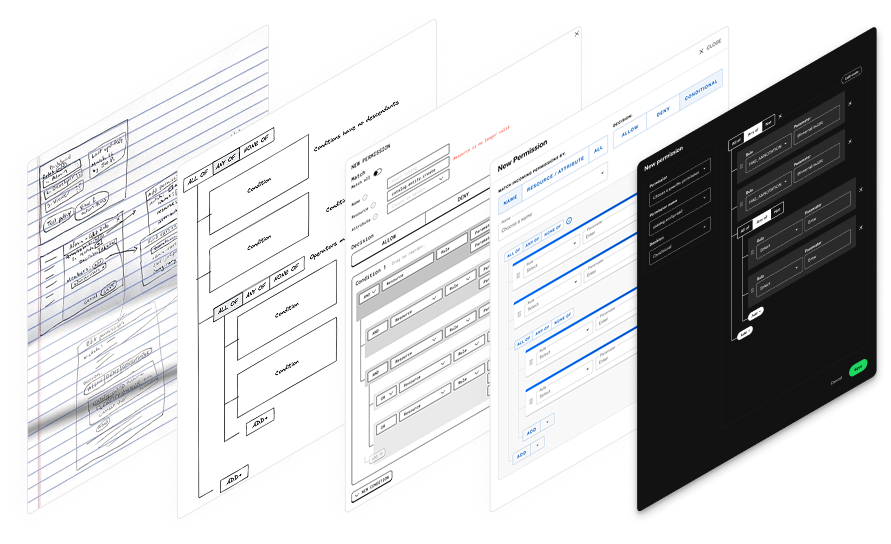
The intricate design challenge necessitated a deep understanding of technical functionality, requiring me to collaborate closely with the engineering team throughout the project. I regularly brought the team together to validate my ideas with low-fidelity wireframes, refining the design as I tried to gain a full understanding of the previously code-only system.
This interface successfully met the needs of different target users by striking a balance between simplicity for non-technical users and providing additional functionality for more technical users.
User testing
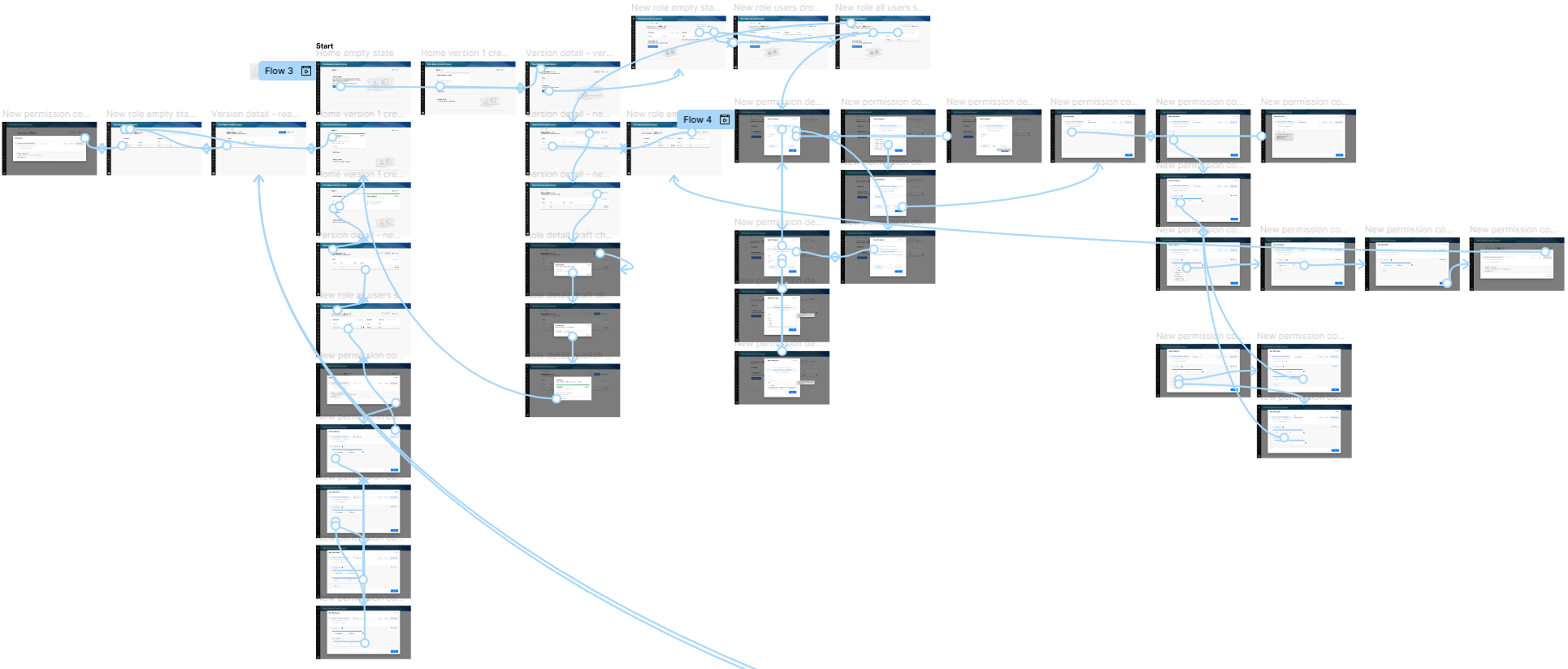
I produced a wireframe prototype to test with users to ensure the usability and effectiveness of the designs. The insights gained from user research helped to answer questions and validate assumptions about the target users and helped to ensure that we were building the right solution for the target users.
The user testing helped to validate the usability of an extremely complex product that catered to various user types. This approach was essential to mitigate risk when introducing one of Spotify's first enterprise products to the market.
Design
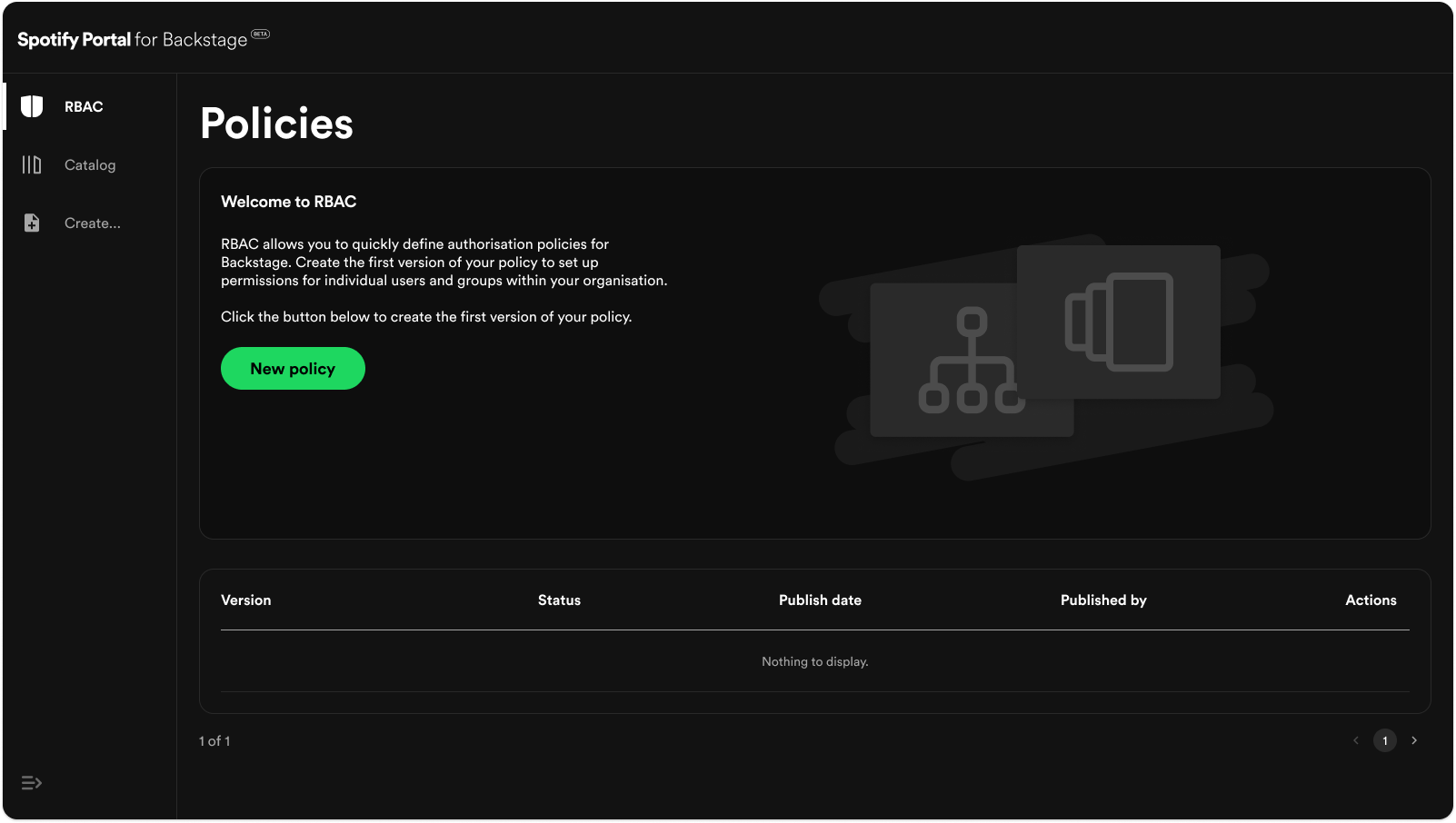
With our solution validated and refined, I produced the high-fidelity visuals. Thanks to the user-centred design process, the interface balances the needs of the different user types, providing a simple interface that caters to non-technical users while also providing extra functionality for more technical users.
Using the collective knowledge of the developers, I transformed a complex system of nested boolean conditional decisions, previously accessible only to those with coding knowledge, into a simple and intuitive interface.
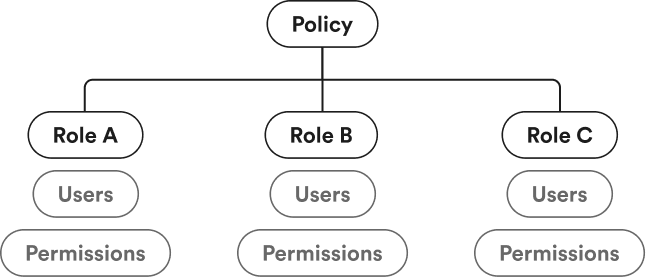
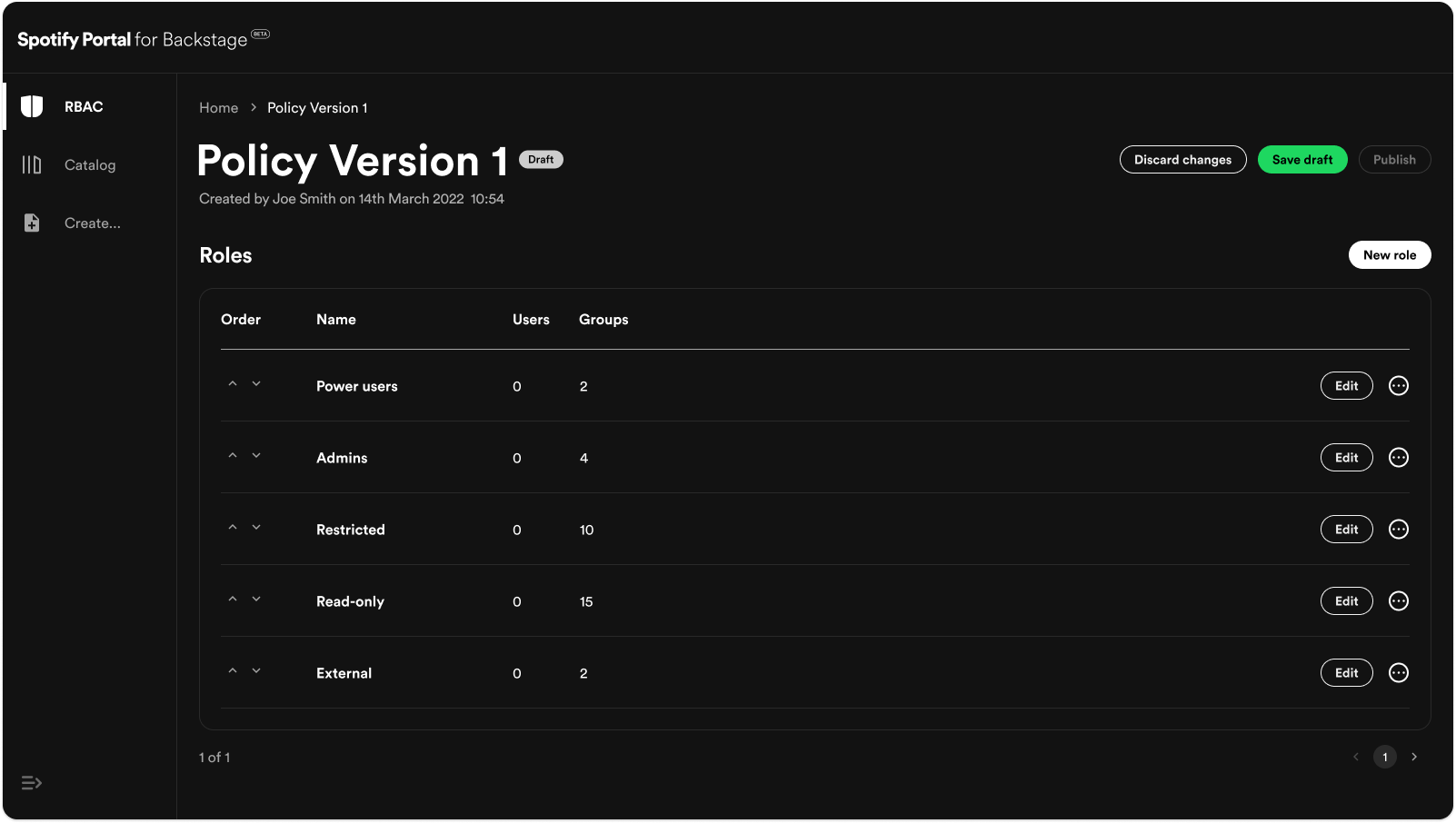
In your Backstage instance you have a policy for your organisation that allows you to configure roles for all of your users. These roles contain the individual users or groups of users that you define and their permissions.
Once you've chosen your the users in your role, you can begin creating your permissions.
You can choose a specific permission that you want to allow or deny, filter a permission by its individual properties or match all permissions if you want to allow or deny access to all of Backstage.
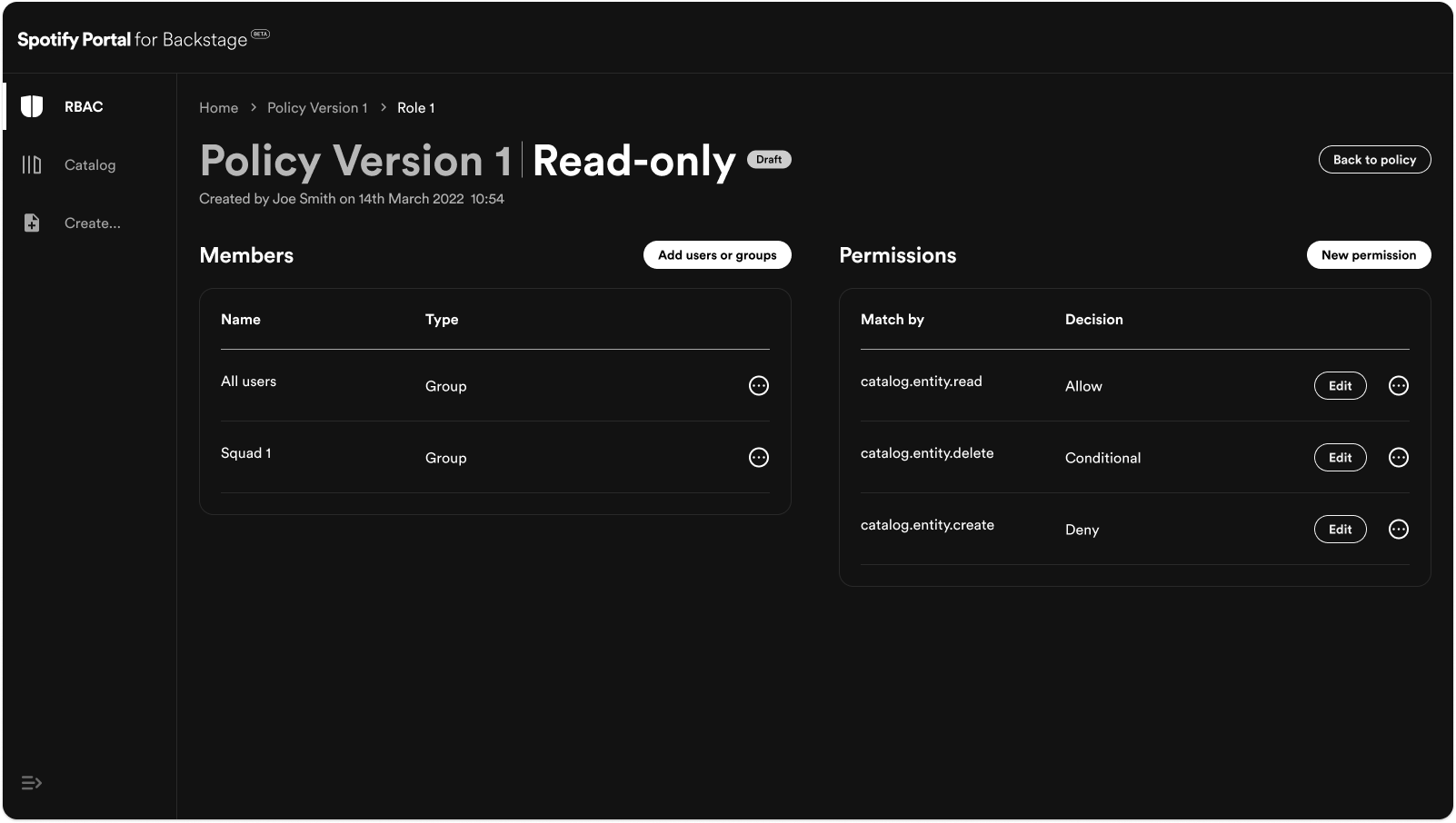
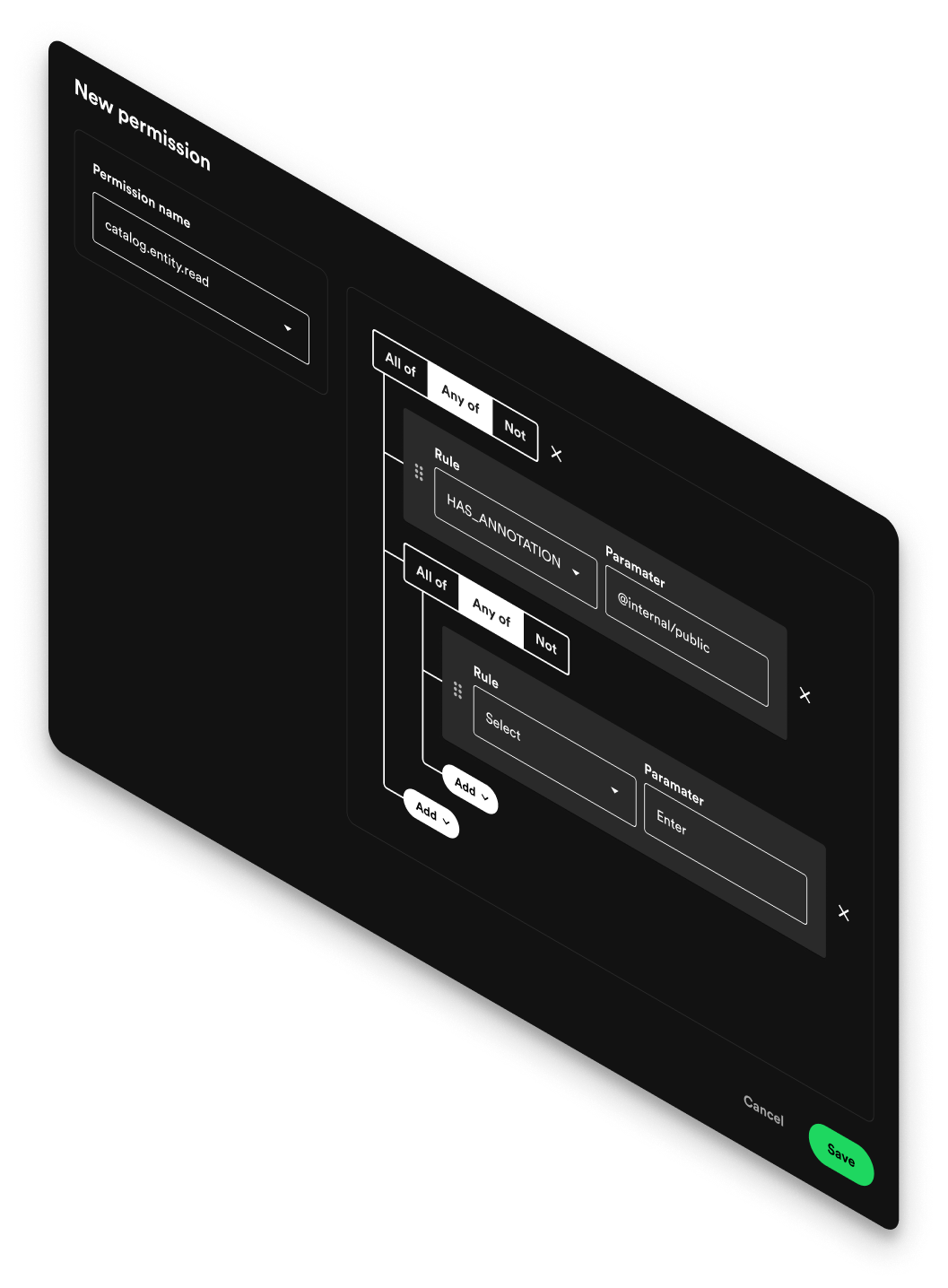
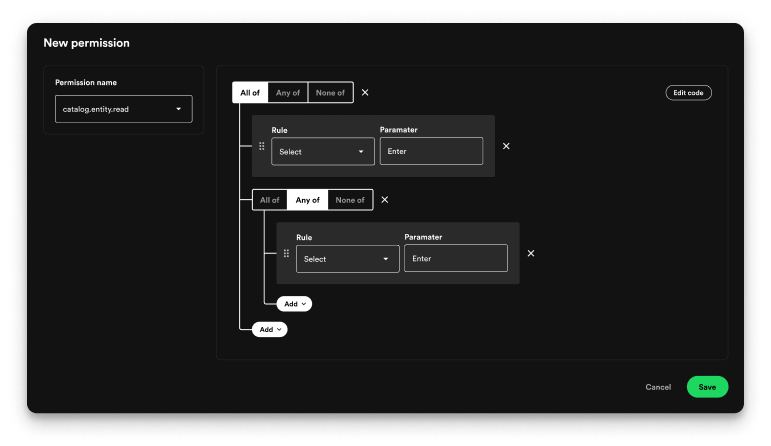
The interesting part however is the ability to set conditional decisions if you want more specific control over the users permissions.
The interface makes creating complex authorization rules simple and approachable through a visual, logic-based structure.
Users can intuitively combine conditions using All of, Any of, and None of logic groups, nesting them as needed to reflect real-world permission hierarchies. Each rule is represented as a straightforward pair of Rule and Parameter fields, allowing users to define precise access criteria without writing code.
By visually representing logical relationships, the design eliminates guesswork and reduces cognitive load - users can immediately see how rules interact and build upon each other. For advanced users, the option to edit the code provides direct control, ensuring flexibility for both technical and non-technical audiences.
The result is a permission builder that’s both powerful and intuitive, enabling complex configurations while maintaining clarity and ease of use.
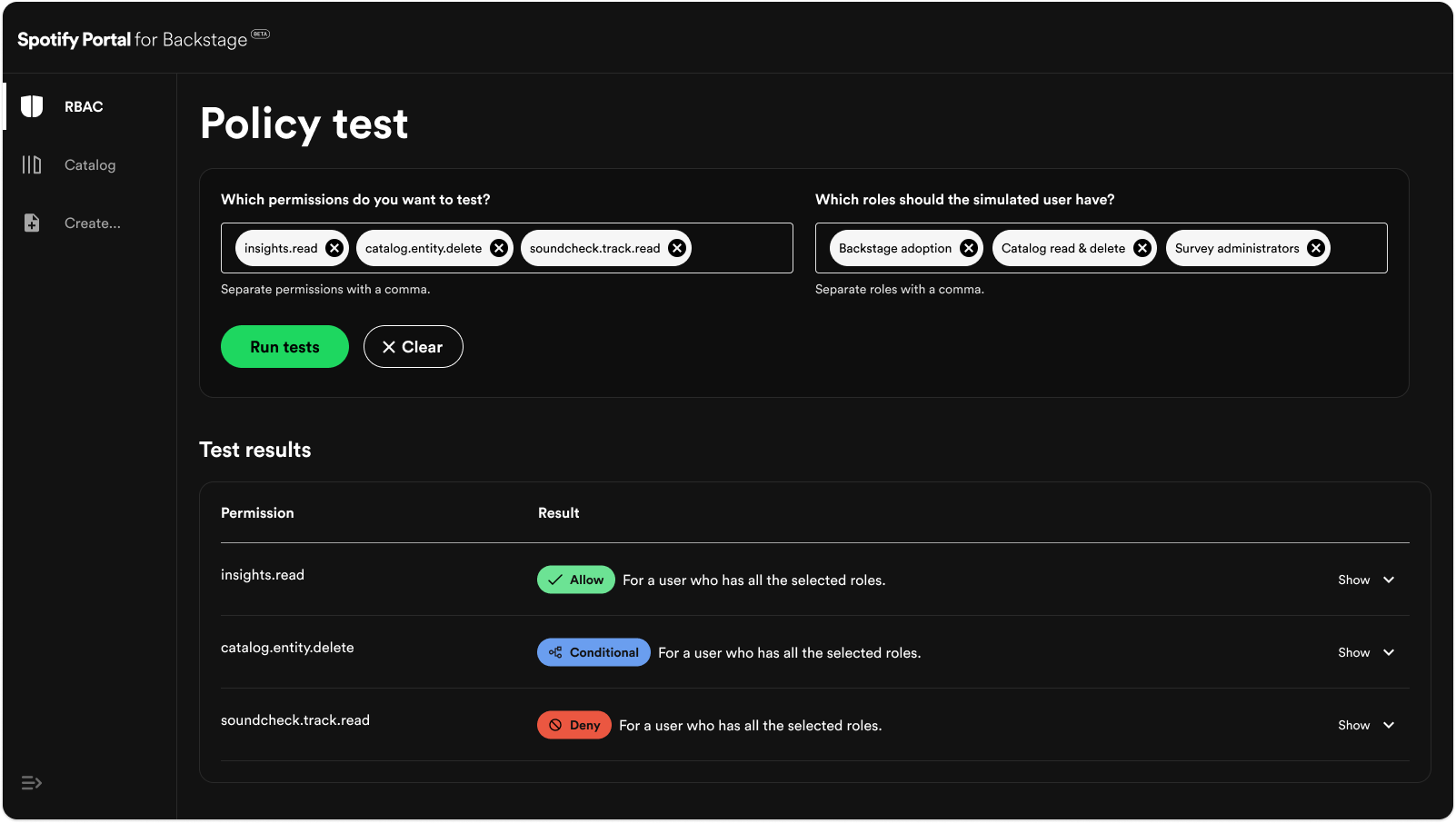
As the permission logic grew more sophisticated, it became increasingly important for users to validate whether their configurations behaved as intended. To support this, we introduced a Policy Tester, a tool that lets users simulate real-world scenarios and confirm that their permission rules are working as intended.
The tester allows users to select one or more permissions and assign roles to a simulated user, then run tests to instantly see whether access would be allowed, denied, or conditional. Each result can be expanded to reveal detailed reasoning behind the decision, helping users understand exactly how their policies are being evaluated.
This transforms what could be a tedious trial-and-error process into a fast, transparent, and confidence-building experience. It ensures that even complex permission systems remain auditable, predictable, and easy to debug - empowering teams to manage access with precision and trust.
Results
The project culminated in the successful release of RBAC - a mission-critical, no-code solution that marked Spotify’s first step into the enterprise market.
For many potential enterprise customers, robust access management wasn’t just a feature - it was a prerequisite for adoption. Large organizations operate within strict compliance and security frameworks, and without a flexible way to define and enforce authorization policies, many teams were unable to deploy Backstage in production environments. Until this point, configuring access in Backstage required custom code changes, limiting adoption to technically advanced teams and creating friction for security-conscious enterprises.
The RBAC plugin changed that. It introduced a no-code authorization layer that allowed organizations to easily define, test, and manage permissions through an intuitive interface - all without developer intervention. This drastically reduced onboarding friction, satisfied enterprise security standards, and opened the door for adoption by some of Spotify’s largest and most risk-sensitive customers.
Early customer adoption unlocked meaningful new revenue, validated strong demand for enterprise-grade extensions, and laid the groundwork for a broader suite of B2B offerings. The RBAC plugin not only addressed a critical customer need but also positioned Spotify to scale its product line strategically, expand into enterprise markets, and capture long-term growth opportunities in the developer tooling ecosystem.
More case studies


Let's build something
2025 © Arron Cumings